
Cloud Backup vs External Hard Drive: Best Choice for 2026
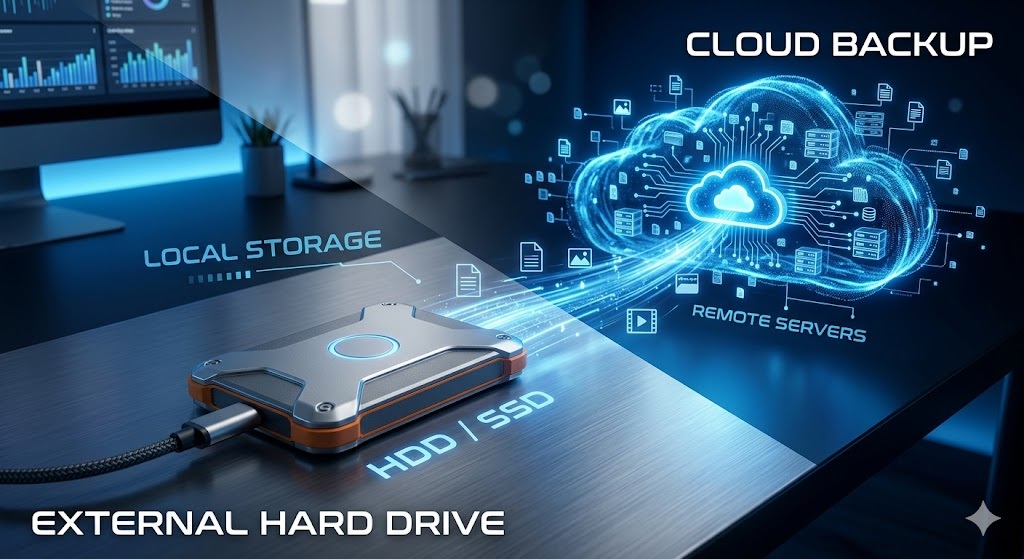

Safeguarding critical professional data against unexpected system crashes, hardware failures, or modern cybersecurity threats requires a robust, redundant backup strategy. Relying strictly on your computer’s internal storage is a critical vulnerability. When upgrading your data preservation architecture, you must evaluate the operational trade-offs between Cloud Backup services and physical External Hard Drives.
Selecting the optimal configuration depends entirely on your data volume, hardware budget, and security requirements.
This expert analysis compares cloud backup systems against localized physical external drives, evaluating data recovery speeds, recurring costs, and ransomware protection.
Understanding the Storage Technologies
What is Cloud Backup?
Cloud backup operates as an automated off-site service that continuously uploads your files over the internet to secured data centers managed by global providers (such as Backblaze, Acronis, or IDrive). Your data is stored on remote encrypted servers, protecting it from local physical disasters.
What is an External Hard Drive / SSD?
An external drive is a physical hardware unit (either a mechanical HDD or a solid-state drive SSD) that connects directly to your device via local USB-C or Thunderbolt cables. It creates an immediate physical copy of your assets that stays under your direct offline supervision.
Core Performance Metrics
| Evaluation Metric | Cloud Backup Services | External Hard Drives / SSDs |
| **Upfront Initial Cost** | Minimal to Zero Entry Fee | Requires upfront hardware purchase |
| **Subscription Fees** | Recurring monthly or annual fees | Zero permanent subscription liabilities |
| **Data Recovery Speed** | Limited by internet upload/download speed | Blistering local cable speeds (up to 1050 MB/s) |
| **Physical Disaster Risk** | 100% immune to local office accidents | Vulnerable to physical drops, fire, or theft |
| **Automation Profile** | Continuous hands-free background sync | Requires manual routine cable connections |
Critical Security & Cost Analysis
1. Real-World Ransomware and Cyber Defense
Modern ransomware strains actively target any data drive connected directly to your computer. If an external hard drive remains plugged into your USB port during a cyber attack, its data files will be encrypted along with your internal drive.
Cloud backup services mitigate this specific threat by utilizing automated “Version History” tracking. Because older iterations of your files are stored safely in an isolated cloud state, you can roll your entire operating environment back to a clean state prior to the intrusion.
2. Local Hardware Speed vs. Internet Bandwidth Limits
When executing massive multi-gigabyte system recoveries, localized hardware dominates. A modern external Solid-State Drive (SSD) running over a USB 3.2 connection can clone a massive 500GB production folder in under 10 minutes.
That exact same file retrieval process handled across a standard home internet connection using a cloud provider can take days to finish processing, depending on your local ISP download bandwidth caps.
3. Long-Term Financial Overhead (TCO)
External drives represent a flat, one-time hardware purchase. A high-capacity 5TB desktop external drive will protect your assets for years without charging hidden system access fees.
Cloud services charge permanent subscription rates per terabyte. As your data footprint expands, these recurring platform fees scale into significant annual operational overhead, making external hardware much more cost-effective for static data storage over 5 years.
The Final Verdict: Which Layout Wins?
Choose Cloud Backup if: You want a completely automated, hands-free background configuration that runs automatically and provides total protection against local fires, theft, or physical drops.
Choose External Hard Drives if: You work with huge media assets, require immediate file transfer speeds, and want absolute personal offline control over your data without paying recurring monthly fees.
To further protect your workspace infrastructure or learn how local network setups route file data fast, check out our comprehensive [NAS vs Cloud Storage Architectural Comparison](/nas-vs-cloud-storage-2026 to find the ultimate framework for high-volume data arrays!
Related Blogs
-
 Jun 1, 2026
Best Enterprise Database Automation…
As enterprise applications scale globally, managing backend data systems manually becomes an operational liability. Database Administrators (DBAs) can no longer afford to execute raw SQL..
-
 May 30, 2026
Best Enterprise Endpoint Security…
With corporate teams working across distributed hybrid environments, the traditional corporate network perimeter no longer exists. Every laptop, smartphone, and cloud-connected server acts as an..
-
 May 29, 2026
Best Enterprise Network Monitoring…
Maintaining 100% uptime across complex corporate data centers, remote office branches, and cloud storage systems requires continuous visibility into your local infrastructure. IT administrators cannot..
-
 May 28, 2026
How to Set Up…
Allowing house guests, clients, or delivery personnel direct access to your primary home or office Wi-Fi network introduces significant security vulnerabilities. When a device logs..
-
 May 25, 2026
Matter vs Zigbee: Best…
Building an efficient, responsive, and seamless smart home network requires looking past simple brand names and investigating the underlying communication protocols that connect your devices...
-
 May 24, 2026
Best AI Video Generators…
The digital media landscape is undergoing an unprecedented shift. In 2026, content creators, independent filmmakers, and marketing agencies are no longer entirely dependent on massive..
-
 May 20, 2026
Top 5 Legitimate Global…
The landscape of global employment has shifted permanently. In 2026, landing a flexible, work-from-home role no longer requires living in a major Western tech hub..
-
 May 20, 2026
UK Health and Care…
The United Kingdom remains one of the premier destinations for international healthcare professionals seeking stable, well-paying careers abroad. Under the points-based immigration system, the Health..
-
 Nov 29, 2024
Aftermath of US Elections…
The aftermath of the 2024 U.S. election, in which Donald Trump was re-elected, has sparked widespread political and public discourse. Key themes include his cabinet..
-
 Nov 17, 2024
The Smog Plague in…
Smog has become a significant environmental and health issue in Pakistan, particularly in major cities like Lahore. The primary reasons for smog in Pakistan include..
-
 Nov 17, 2024
Mike Tyson vs. Jake…
The highly anticipated boxing match between Mike Tyson and Jake Paul took place on November 15, 2024, at AT&T Stadium in Arlington, Texas. This event,..
-
 Aug 24, 2022
Pesticides: Kill Pests or…
According to World Health Organization (WHO), pesticide poisoning counts for the death of approximately 220,000 people worldwide. That is quite an alarming. Pesticides were invented..
-
 Aug 25, 2021
How to Develop Critical…
1. Do not help or solve the problem quickly Most of the time, students find it hard to solve questions asked in books or assigned..
-
 Jul 1, 2021
Two 21st Century Standards…
1. Focus on 21st-century skills, content knowledge, and expertise The major demand of the 21st century from the education system is the provision of..
-
 Apr 23, 2021
Top 10 Universities in…
Top 10 universities in the USA The US rules over the world in educational institutions along with every other field of life. Here is the..
-
 Mar 28, 2021
Process of Curriculum Development…
The curriculum has had different meanings and interpretations throughout history. In simple terms, a curriculum is a set of all the information, data, instructions, and..
-
 Dec 24, 2020
Education and Professionalism
What is a Profession? There has been always an ambiguity between profession and occupation and most of the interpretations could not differentiate accurately. All the..
-
 Dec 15, 2020
Job vs Business, What…
Modern economic systems around the world now adopt the notion of “smart work” instead of “hard work”. This does not deny the importance of..